
Facing AIS Mismatch While Filing ITR? Here’s What You Need to Know
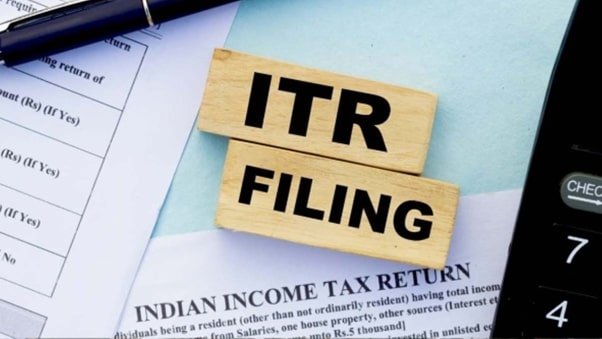
Wondering how to resolve AIS mismatches? Learn how to match your ITR with Form 16, home loan interest, and other income details as per the latest income tax guidelines.
Confused about an AIS mismatch while filing your taxes? You are not alone. Many taxpayers are startled to find discrepancies in their income data while filing their Income Tax Return (ITR), especially when it doesn’t match the Annual Information Statement (AIS). But don’t worry, you’re not in trouble. With a little understanding and some quick action, this can be easily resolved.
In this guide, we’ll simplify what AIS mismatch means, how it impacts your ITR filing, and the steps you need to follow — all based on the latest Income Tax Department guidelines. Whether you’re a salaried employee referring to your Form 16, a homeowner claiming deductions on a home loan, or a freelancer juggling multiple income sources, this article has got you covered.
What is ITR, and why does AIS matter?
Before diving into the mismatch issue, let’s address the basics.
Income Tax Return (ITR) is a form that individuals, businesses, and other entities submit to the Income Tax Department to declare their income, expenses, tax deductions, and tax liabilities for a financial year. Filing your ITR is not just a legal obligation but also helps you:
- Claim tax refunds
- Get faster loan approvals
- Act as valid income proof
- Avoid penalties for non-compliance
AIS is a detailed statement introduced by the Income Tax Department that includes your:
- Salary income
- Interest income from banks
- Dividend income
- Securities transactions
- TDS and TCS details
- Foreign remittances
- Property transactions
In simple terms, it’s the government’s version of your financial year story — pulled from banks, employers, mutual funds, and more.
What is an AIS mismatch?
An AIS mismatch occurs when the income or transactions reported in your AIS don’t align with what you file in your ITR.
For instance:
- You report Rs. 8.5 lakh salary income based on your Form 16, but AIS shows Rs. 9 lakh
- Your AIS reports Rs. 15,000 interest from your fixed deposits, but you mention only Rs. 5,000 in your ITR
- You claim home loan interest deduction, but it’s not reflected properly in AIS
Such mismatches can trigger scrutiny or even delay your refund.
Why do AIS mismatches happen?
Here are some common reasons for discrepancies:
| Reason | Explanation |
| Incorrect or delayed reporting by third parties | Banks or employers may have submitted wrong figures or updated them late |
| Duplicate entries in AIS | The same transaction gets recorded twice |
| Mismatch in interest income | Many people forget to include FD or RD interest |
| Property transaction timing | The AIS may reflect the date of agreement differently from your sale date |
| Missing TDS credits | TDS not reflecting properly due to incorrect PAN quoting |
Even a minor inconsistency — like a Rs. 1,000 difference in interest income — can flag your return for review.
How to check for AIS mismatch before filing ITR
The Income Tax Department now recommends verifying AIS before filing your return. Here’s how:
- Visit the official income tax e-filing portal at www.incometax.gov.in and log in using your PAN credentials. After logging in, navigate to the ‘AIS’ option under the ‘Services’ section.
- Click on the ‘Proceed’ button to move to the next step.
- You’ll be redirected to the compliance portal. On the AIS homepage, you’ll see two options: Annual Information Statement (AIS) and Taxpayer Information Summary (TIS), displayed next to the instructions.
- Choose the relevant financial year. Click on the appropriate tile to view either the AIS or the TIS.
- To download the statements, click the download icon on the respective tiles. The TIS is available in PDF format. The AIS can be downloaded in both PDF and JSON formats.
How to submit feedback in AIS and correct errors
If you notice any incorrect details in your AIS (Annual Information Statement), you can submit feedback to get them corrected. This can be done either online or offline, but the online mode is more convenient and is available directly in the AIS section of the compliance portal.
Follow these steps to submit feedback and rectify errors in your AIS:
1. Go to the AIS section of the income tax compliance portal (as described earlier).
2. You’ll see various categories such as:
- TDS/TCS Information
- SFT (Specified Financial Transactions)
- Payment of Taxes
- Demands and Refunds
- Other Information
3. Click on the section where the discrepancy exists. For example, if you notice an issue under SFT Information, select that category.
4. Choose the specific data entry you want to correct. Click to expand the row, and then click on the ‘Optional’ button to submit your feedback.
5. Enter the correct details and submit your response. Once submitted, the updated value will be reflected in the system.
The feedback you provide is used to update the derived value in your Taxpayer Information Summary (TIS), which is then used to pre-fill your ITR form. So, it’s important to make sure the corrected figures are accurate.
What to do if there’s an error in AIS or Form 26AS?
AIS includes information received by the Income Tax Department from various reporting entities such as banks, employers, mutual funds, etc. These entities are required by law to report high-value transactions.
However, there may be instances where:
- The data for a certain period hasn’t been updated yet
- Transactions are reported incorrectly
- Some information is missing or duplicated
That’s why taxpayers should verify their AIS carefully before filing ITR. If you find any errors, use the feedback mechanism to submit corrections as explained above.
Why it’s important to fix AIS mismatches
Recently, the Income Tax Department flagged over 68,000 cases where there was a mismatch between AIS data and the ITR filed. These discrepancies are treated as underreporting of income, which can result in:
- Notices or scrutiny
- Penalties and interest
- Delay in refunds
To avoid such issues, always ensure that the income you declare in your return matches the details in your AIS and Form 26AS. Rectify any mismatches through the AIS feedback process before submitting your ITR.

Pranab Bhandari is an Editor of the Financial Blog “Financebuzz”. Apart from writing informative financial articles for his blog, he is a regular contributor to many national and international publications namely Tweak Your Biz, Growth Rocks ETC.